
Our Blog
Tech Pulse

Acronis Cloud Backup: Enterprise-Grade Data Protection for Your Business
Every business generates data that it cannot afford to lose. Customer records, financial information, project files, emails, and operational documents are all assets that take years to build and seconds to lose — whether through a ransomware attack, hardware failure,...
Why Regular Software Updates Are Critical for Your Business
When a pop-up appears saying “Update available”, it’s easy to click “Remind me later”. But for small and medium-sized businesses (SMEs), putting off software updates can expose your systems to serious cyber threats. In this week’s article, we explain why...
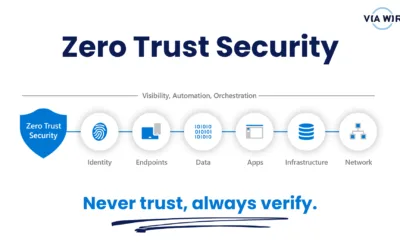
How to Start Your Zero Trust Journey in Microsoft 365 (Without the Headache)
Zero Trust might sound like a big, complex security strategy reserved for large enterprises, but the truth is: small and medium businesses need it just as much — maybe even more. Cybercriminals increasingly target SMEs because they often have fewer security controls...
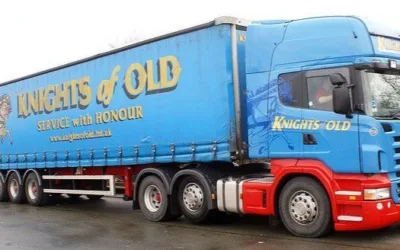
One Password, 700 Jobs Lost: What the KNP Cyberattack Can Teach Every UK Business
The devastating cyberattack on Northamptonshire transport firm KNP Logistics has sent shockwaves through the business world. After 158 years of trading, the company collapsed — taking 700 jobs with it — all because of one compromised password. This isn’t a distant...

The Real Cost of Free Wi-Fi: Why Public Networks Put Your Business Data at Risk
As remote and hybrid work models become the norm, more employees are working from coffee shops, airports and co-working spaces than ever before. While public Wi-Fi feels convenient, it can pose a serious – and often underestimated – risk to your business. If your team...
Laptop Airflow: Why It Matters in Hot Weather
When summer temperatures soar, your laptop can struggle just as much as you do. Whether you’re working from home, on the go, or catching up on emails outside, poor laptop airflow in hot weather is a serious risk, one that can lead to overheating, system crashes, and...
How to Start Your Zero Trust Journey (Without Breaking the Bank)
Zero Trust sounds great, but isn't it only for big corporations with deep pockets? Not at all. Small and medium-sized businesses can adopt Zero Trust principles using tools they likely already have. Here's how to get started in a budget-friendly, manageable way....